
Turn Simple PSI Skills into Blind Predictions
Inside VEREVIO, you practice abilities like:
remote viewing
object perception
energy sensing
telepathy
precognition
other intuition drills
Even if your skill is “basic” — like clean separation (A vs B) — you can use it to make blind predictions you can log, reveal, and measure.
That’s the point of MatchCast — an ARV (Associative Remote Viewing) — style prediction tool.
A prediction you can review like data, not a story you tell someone later.
Two Scenarios You’ll Recognize
Scenario 1
“I almost cancelled the picnic yesterday,” she said. “Had this feeling about rain.”
“But it was sunny all week in the forecast.”
“I know. That’s why I ignored it. Then at 3 PM, that storm came out of nowhere.”
“Lucky guess?”
“Could be. But it felt like remembering rain that hadn’t happened yet.”
Scenario 2
“I had a feeling about that stock,” Tom said, staring at his screen. “Three days ago. Didn’t act on it.”
“And now it jumped 40%?”
“Yeah. But here’s the thing — I always have feelings about stocks. Most of them are wrong.”
“Confirmation bias.”
“Exactly. So how do I know when it’s real… versus my brain making up stories?”
Why MatchCast Exists
Because intuition is slippery.
You don’t argue with yourself.
You don’t rely on memory.
Ego rewrites.
And your brain can make anything sound “obvious” after the fact.
MatchCast gives you a clean structure:
You make the call.
You lock it.
You reveal it later.
You see the record.
How MatchCast Works
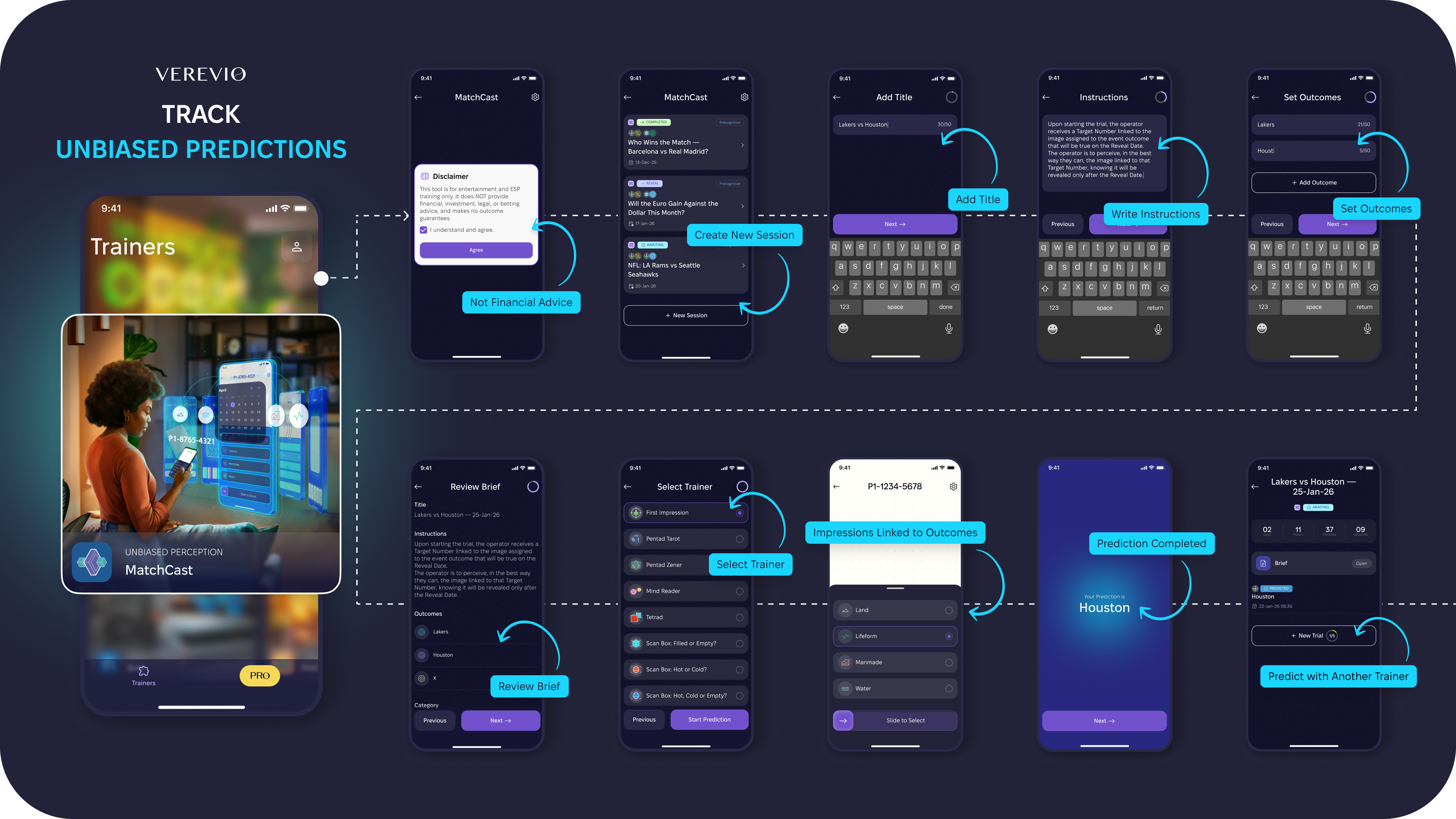
1. Pick a future event
Anything with a clear reveal date and binary outcome.
2. Create the prediction setup
Title. Outcomes. Brief.
Once the session starts, the brief is locked.
Read it carefully. Fixate.
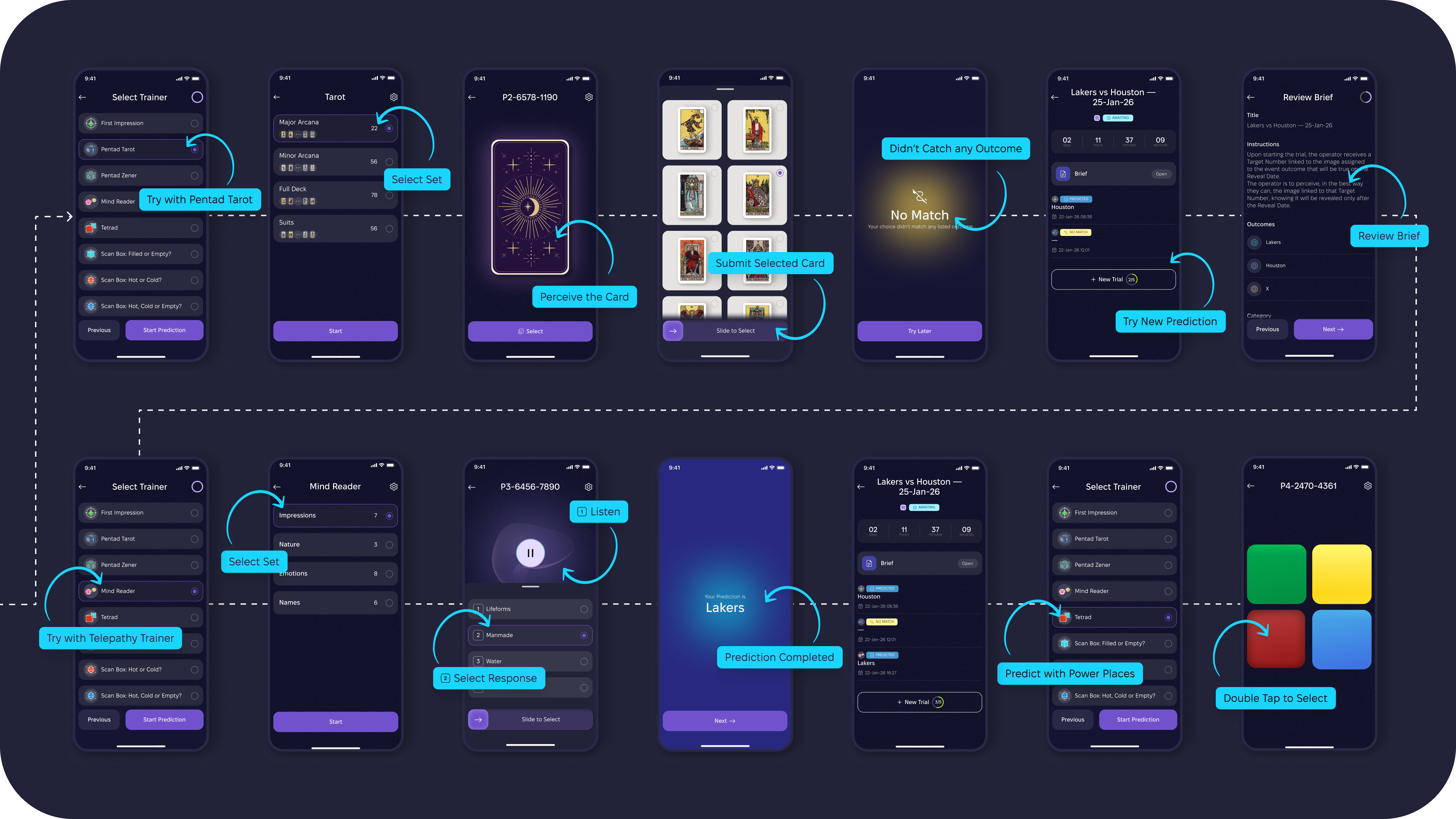
3. Choose your strongest trainer
The tool where your binary separation works best.
4. Set intent → generate a Target Number (TN) → press Start
That moment matters. Don’t rush it. Pass your intent into the session.
5. Do your session → make your pick
The algorithm ties each outcome to an image pair using randomization.
Your job is to perceive the image linked to the true outcome.
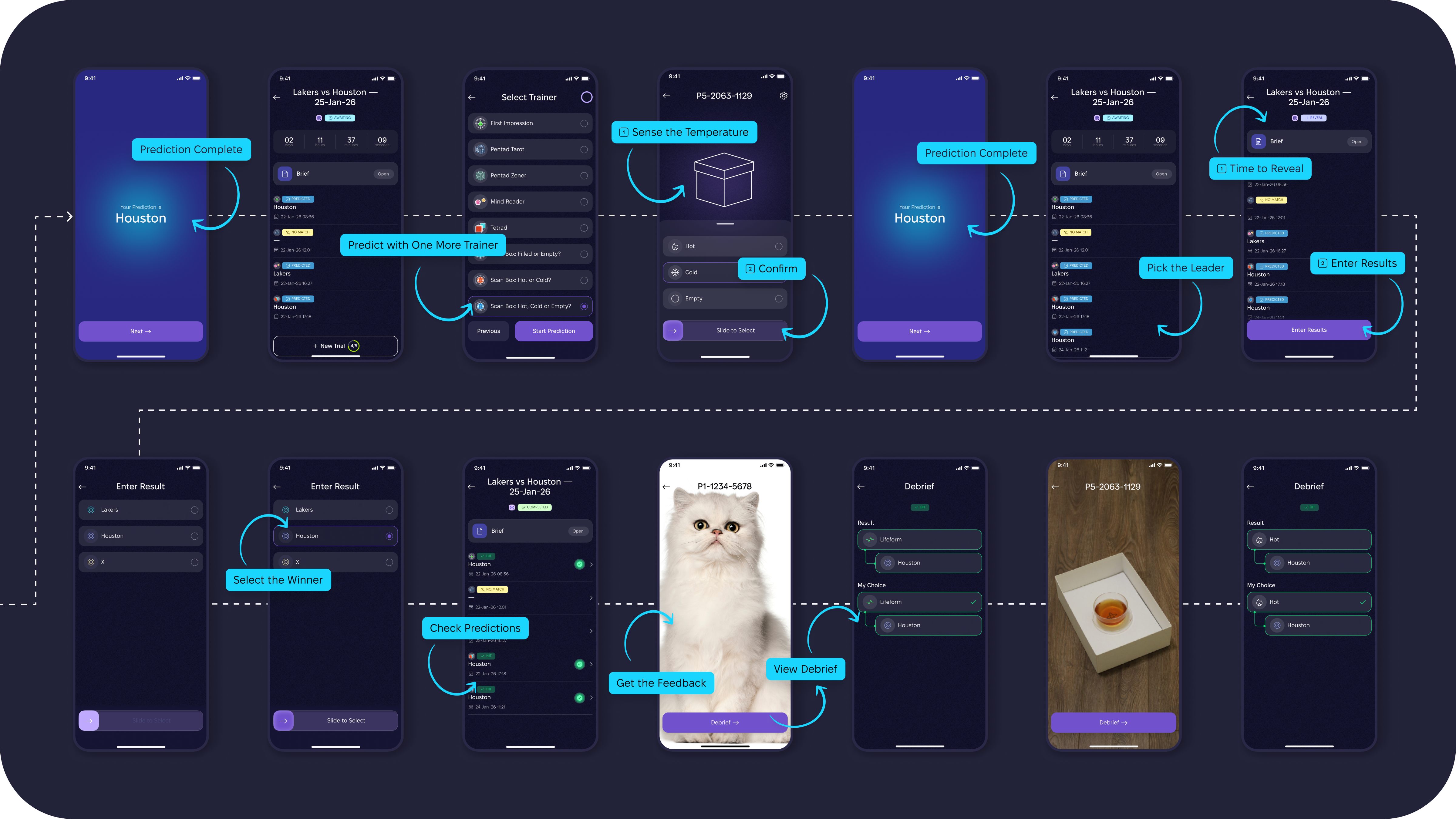
6. On reveal day, enter the real-world result
Then review feedback, history, and patterns.
Key Points That Actually Matter
1. Write a clean brief
Simple works:
“Perceive the descriptors of the image that will be revealed under this Target Number.”Or explicit (advanced):
“Upon starting the trial, the operator receives a Target Number linked to the image assigned to the event outcome that will be true on the Reveal Date. The operator is to perceive the image linked to that Target Number, knowing it will be revealed only after the Reveal Date.”
2. Read the brief thoroughly — then fixate
Imagine you’re imprinting the task on your subconscious.
3. Generate TN → push intent → press Start
Don’t click through it like a form. Do it consciously.
4. When perceiving, time-shift
Mentally move past the Reveal Date.
Tune into the image you’ll see inside the app.
What’s Next
We’ll keep integrating more trainers into MatchCast.
But you can start now with basic separation skills.
Because MatchCast does one important thing ⇒ It turns training into a game with consequences.
A little playground for your intuition — like being a kid again, testing “Can I feel the right answer?” and then getting the reveal.
Log one prediction this week.
Comments
0No comments yet. Be the first to comment!